
Everyone is talking about AI agents for business. Google, Microsoft, OpenAI, and Salesforce are all racing to build them. PwC calls 2026 the year agents finally deliver real business value. Gartner predicts 40% of enterprise applications will include task-specific AI agents by the end of this year.
But most content about AI agents is written for developers or investors. If you’re a business owner, CEO, or operations lead trying to figure out whether AI agents are worth the investment, you’re left sifting through hype, jargon, and vendor pitches.

This guide is different. We wrote it for decision-makers who need to understand what AI agents actually do, how they work under the hood (in plain English), where they deliver real ROI, and — just as importantly — when you don’t need one.
Table of Contents
- What Is an AI Agent, Really?
- AI Agent vs. Chatbot vs. Automation: What’s the Difference?
- How AI Agents Actually Work (Without the Jargon)
- 7 AI Agent Use Cases That Are Actually Working in 2026
- When You Do NOT Need an AI Agent
- How to Get Started: A Practical Framework
- The Cost Reality: What AI Agents Actually Cost in 2026
- What’s Coming Next: AI Agents in Late 2026 and Beyond
- Implementing AI Agents with Virtust
What Is an AI Agent, Really?
An AI agent is software that can take a goal, break it into steps, use tools to complete those steps, and make decisions along the way — without someone clicking buttons at every stage.
That last part is what separates agents from regular AI tools.
When you use ChatGPT to write an email, you’re giving it one task and getting one output. That’s a tool. When an AI agent receives “Handle this customer refund request,” it reads the complaint, checks the order history, verifies the return policy, processes the refund, updates the CRM, and sends the customer a confirmation email — all without human intervention. That’s an agent.
Think of it this way: A tool does what you tell it. An agent figures out what needs to be done and does it.
The Four Things Every AI Agent Does
Every AI agent for business, regardless of the vendor or framework, follows the same basic loop:
- Perceive — The agent receives input. This could be a customer message, a sensor reading, a new row in a spreadsheet, or a Slack notification. It understands context, not just keywords.
- Reason — The agent decides what to do. Using a large language model (LLM) as its brain, it plans a sequence of actions. If step one fails, it adjusts the plan.
- Act — The agent executes. It calls APIs, queries databases, sends emails, updates records, creates documents, or triggers workflows in other tools. It doesn’t just recommend — it does.
- Learn — The agent improves over time. Through feedback loops and memory, it gets better at handling edge cases and understanding your business context.
AI Agent vs. Chatbot vs. Automation: What’s the Difference?
This is where most confusion lives. Let’s clear it up with a practical example.
- RPA Bot: Checks if the order ID matches a return-eligible list. If yes, generates a return label. If no, stops. Can’t handle exceptions.
- AI Chatbot: Asks the customer what’s wrong, empathizes, and provides the return policy. But the customer still has to initiate the return themselves.
- AI Agent: Reads the customer’s message, pulls up their order history, checks the return window, determines if a refund or replacement is more appropriate, processes the action, updates inventory, sends confirmation, and flags the product defect for the quality team.
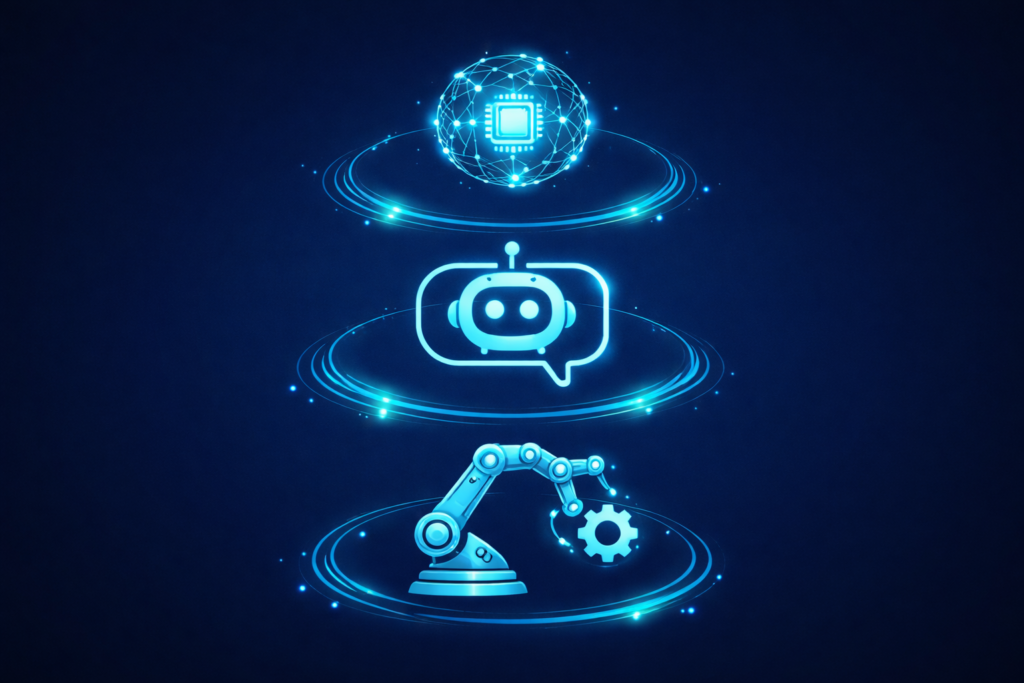
Task: “A customer wants to return a defective product.”
Same starting point. Completely different outcomes.
Comparison Table
| Capability | Traditional Automation (RPA) | AI Chatbot | AI Agent |
|---|---|---|---|
| Understands natural language | ❌ | ✅ | ✅ |
| Makes autonomous decisions | ❌ | ❌ | ✅ |
| Executes multi-step workflows | ❌ | ❌ | ✅ |
| Connects to multiple systems | Limited | Limited | ✅ |
| Handles exceptions | ❌ | Limited | ✅ |
| Learns and improves | ❌ | ❌ | ✅ |
| Works without human input | Partially | ❌ | ✅ |
| Best for | Repetitive, fixed tasks | Answering questions | End-to-end workflow execution |
How AI Agents Actually Work (Without the Jargon)
Under the hood, an AI agent has four layers. Understanding this architecture is crucial for knowing what you need to build — and what you need to buy.
Layer 1: The Brain (Large Language Model)
This is the reasoning engine — typically GPT-4, Claude, Gemini, or an open-source model like Llama. It’s what allows the agent to understand natural language, make decisions, and generate plans. The LLM doesn’t do the work itself — it decides what work needs to be done and in what order.
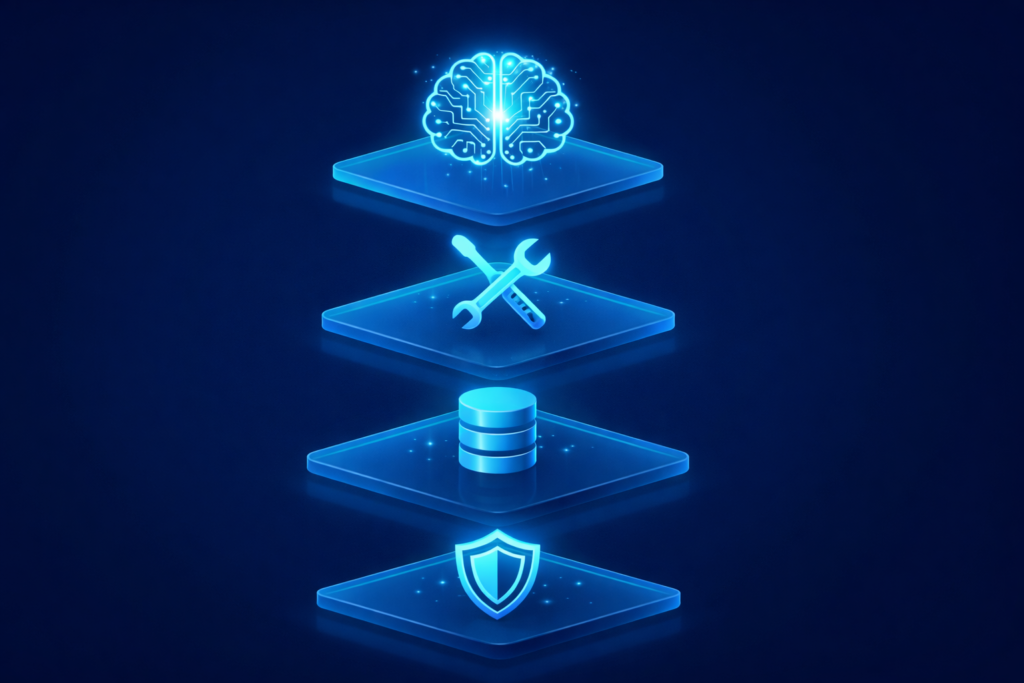
Layer 2: The Tools
Agents are connected to external tools and APIs. These are the “hands” of the agent. A customer service agent might be connected to:
- Your CRM (HubSpot, Salesforce)
- Your order management system (Shopify, SAP)
- Your email platform (SendGrid)
- Your knowledge base (Notion, Confluence)
The more tools an agent can access, the more it can do.
Layer 3: The Memory
Without memory, every interaction starts from scratch. Agents use two types:
- Short-term memory: The current conversation or task context
- Long-term memory: Past interactions, customer preferences, learned patterns stored in a vector database
This is what allows an agent to say, “Last time this customer contacted us about the same issue — let me escalate directly.”
Layer 4: The Guardrails
This is the governance layer — the rules and boundaries that prevent the agent from going rogue. Guardrails define:
- What the agent can and can’t do (e.g., issue refunds up to $500 but needs approval above that)
- What data it can access
- When it should escalate to a human
Without this layer, you have a powerful system with no accountability. This is where most failed agent deployments go wrong.
Architecture Overview
| Layer | Function | Examples |
|---|---|---|
| Brain (LLM) | Reasoning, planning, decision-making | GPT-4, Claude, Gemini, Llama |
| Tools | Execution, API calls, system actions | CRM, email, database, payment |
| Memory | Context retention, learning | Vector DB, conversation history |
| Guardrails | Governance, permissions, escalation | Approval rules, access controls |
7 AI Agent Use Cases That Are Actually Working in 2026
Let’s move past theory. Here are seven use cases where businesses are deploying AI agents right now and seeing measurable ROI.
1. Customer Support & Service Resolution
This is the most mature use case. AI agents handle Tier-1 and Tier-2 support tickets end-to-end: reading the customer’s message, accessing order history, checking policies, processing refunds or exchanges, and following up — all without a human touching the ticket.
- Real impact: Gartner predicts by 2029, AI agents will autonomously resolve 80% of common customer service issues
- Results: 40-60% reduction in average handle time, 30% lower support costs
- Best for: E-commerce, SaaS, financial services, and any business handling 500+ support tickets/month
2. Sales Pipeline & Lead Management
AI sales agents monitor your CRM for new leads, score them based on behavior and fit, send personalized outreach sequences, follow up at optimal times, book meetings, and update deal stages — running your outbound engine 24/7.
- Real impact: A global investment company deployed agents across the sales process, opening up over 90% more time for salespeople to spend with customers (OpenAI Frontier case study)
- Results: 2-3x more pipeline generated per rep
- Best for: B2B companies, SaaS startups, outbound sales teams
3. Finance & Accounting Operations
Agents handle invoice processing, expense categorization, anomaly detection, cash flow forecasting, and compliance monitoring. They scan invoices, match them to purchase orders, flag discrepancies, and route approvals.
- Real impact: IBM realized $3.5 billion in cost savings with a 50% productivity increase across enterprise operations using AI agents
- Results: 60-80% reduction in manual accounting work
- Best for: Mid-market and enterprise companies processing 200+ invoices/month
4. IT Support & Helpdesk Automation
Internal IT agents triage employee tickets, diagnose common issues (password resets, VPN problems, software access requests), execute fixes automatically, and escalate complex issues with full context attached.
- Real impact: Getronics used AI agents to automate over 1 million IT tickets annually — achieving faster resolutions and reduced workload for human agents
- Results: 50-70% of routine IT tickets resolved without human intervention
- Best for: Companies with 200+ employees and dedicated IT support
5. HR & Employee Operations
AI agents handle onboarding workflows (sending documents, scheduling orientations, provisioning access), answer HR policy questions, manage PTO requests, and assist with initial candidate screening.
- Real impact: Walmart uses AI agents to manage payroll and paid time off across its massive workforce
- Results: 50-70% reduction in routine HR administrative tasks
- Best for: Companies scaling headcount or with distributed/remote teams
6. Supply Chain & Inventory Management
Agents monitor inventory levels in real-time, predict demand based on historical data and external signals, automatically reorder stock, optimize delivery routing, and flag supply chain disruptions before they cascade.
- Real impact: Companies with AI-powered supply chain report 20% cost reduction and 35% forecast accuracy improvement
- Results: 77% achieve ROI within 12 months (Forbes, Accenture)
- Best for: E-commerce, manufacturing, logistics, multi-location inventory
Related: AI in Logistics: Transforming Supply Chains with Smarter, More Efficient Operations
7. Content & Marketing Operations
AI marketing agents draft campaign content, schedule social posts, A/B test subject lines, analyze campaign performance, segment audiences, and trigger personalized email sequences based on user behavior.
- Real impact: 3-5x faster content production, 40% reduction in campaign launch time
- Results: Marketing operations running autonomously while the team focuses on strategy
- Best for: Startups without large marketing teams, enterprises scaling personalization
When You Do NOT Need an AI Agent
This is just as important as knowing when you do. Don’t build an AI agent when:
- Your process isn’t defined yet. If your team doesn’t have a documented, repeatable process, an AI agent will just automate chaos. Define the workflow first, then automate it.
- You have fewer than 100 instances per month. If a task happens rarely, a human can handle it faster and cheaper than building and maintaining an agent. Agents shine at scale.
- The stakes are too high for autonomous decisions. Legal review, medical diagnosis, high-value financial transactions — these require human judgment. Agents can assist and prepare, but shouldn’t decide independently.
- Your data is a mess. Agents need clean, accessible data. If your CRM is outdated, your knowledge base is scattered across 12 tools, or your data lives in someone’s email inbox — fix that first.
- A simpler tool already solves it. Sometimes a Zapier workflow, a well-configured chatbot, or even a spreadsheet formula is the right answer. Don’t use an F-16 to deliver pizza.
How to Get Started: A Practical Framework
If you’re thinking “okay, this could help my business,” here’s a 5-step framework to approach it without wasting money.
Step 1: Identify High-Volume, Rule-Based Processes
Look for workflows that are repetitive, follow predictable rules, and involve multiple systems. Customer support, invoice processing, lead qualification, and employee onboarding are common starting points.
Step 2: Assess Your Data Readiness
An agent is only as good as the data it can access. Ask yourself:
- Is our customer data centralized?
- Is our knowledge base up to date?
- Can our systems talk to each other via APIs?
If the answer is no, start there.
Step 3: Start With One Agent, One Workflow
Don’t try to automate everything at once. Pick one high-impact workflow, build a focused agent, measure results, and iterate. The companies that succeed with AI agents start small and scale fast.
Step 4: Define Clear Guardrails
Before deploying, define exactly what the agent can and can’t do. Set approval thresholds, escalation rules, data access boundaries, and monitoring alerts. This isn’t optional — it’s what separates a useful agent from a liability.
Step 5: Measure What Matters
Track metrics tied to business outcomes:
- Tickets resolved without human intervention
- Time saved per process
- Cost per transaction
- Customer satisfaction scores
- Revenue influenced
If your AI agent can’t show ROI within 90 days, something is wrong with the implementation — not the technology.
The Cost Reality: What AI Agents Actually Cost in 2026
Let’s talk numbers, because this is where most blog posts go vague.
| Business Size | Solution Type | Setup Cost | Monthly Cost | Typical ROI Timeline |
|---|---|---|---|---|
| Small (under 50 employees) | Pre-built agents (Intercom, Freshdesk, HubSpot AI) | $0 – $2,000 | $200 – $1,000 | 1-3 months |
| Mid-market (50-500 employees) | Custom agents (LangChain, CrewAI, n8n) | $5,000 – $25,000 | $500 – $2,000 | 2-4 months |
| Enterprise (500+ employees) | Multi-agent orchestration (Frontier, Agentforce, Copilot Studio) | $50,000 – $250,000+ | Usage-based | 3-6 months |
The ROI Math
If an agent handles 1,000 support tickets/month that would otherwise require a $25/hour support rep spending 15 minutes each, that’s $6,250/month in labor cost alone. A $10,000 agent deployment pays for itself in under two months.
What’s Coming Next: AI Agents in Late 2026 and Beyond
The AI agent landscape is moving fast. Here’s what to watch:
- Multi-Agent Orchestration is going mainstream. Instead of one agent doing everything, businesses will deploy teams of specialized agents that collaborate — a sales agent handing off to an onboarding agent, which coordinates with a billing agent. Think of it as a digital workforce where each agent has a defined role.
- Small Language Models (SLMs) are replacing massive models for specific tasks. Gartner predicts by 2027, context-specific models will be used 3x more than large language models. This means cheaper, faster, more private agents.
- Agent Security is becoming critical. As agents gain access to more systems and data, they become attack surfaces. Expect dedicated agent identity management, permission frameworks, and monitoring tools.
- Low-Code Agent Builders are democratizing access. Platforms are making it possible for business users — not just developers — to build and deploy agents. This will accelerate adoption dramatically.
Key Frameworks and Platforms for Building AI Agents
| Tool/Platform | Type | Best For | Website |
|---|---|---|---|
| LangChain | LLM Orchestration | Custom agent development | langchain.com |
| CrewAI | Multi-Agent Framework | Multi-agent collaboration | crewai.com |
| n8n | Workflow Automation + AI | Low-code agent workflows | n8n.io |
| AutoGen | Multi-Agent Framework | Enterprise multi-agent systems | microsoft.github.io/autogen |
| OpenAI Frontier | Enterprise Agent Platform | Large-scale enterprise deployment | openai.com |
| Salesforce Agentforce | CRM-Native Agents | Sales, service, and marketing agents | salesforce.com |
| Microsoft Copilot Studio | Low-Code Agent Builder | Business users building agents | microsoft.com |
Implementing AI Agents with Virtust
At Virtust, we’ve helped businesses across industries implement AI agents for business that transform their operations. Our approach combines deep technical expertise with practical implementation strategies.
Our Process
Discovery: We start by understanding your workflows — what processes are eating your team’s time, where data flows break, and which use cases will deliver the fastest ROI.
Architecture Design: We design agent architectures tailored to your specific use cases, selecting the right LLMs, tools, and frameworks for optimal performance and cost.
Development: Our engineers build and test AI agents with your actual data, iterating rapidly to achieve your accuracy and performance requirements.
Integration: We integrate AI agents seamlessly into your existing systems — CRM, ERP, helpdesk, email — ensuring compatibility with your current infrastructure.
Deployment: We deploy production-ready agents with monitoring, error handling, guardrails, and feedback loops for continuous improvement.
Support: Our team provides ongoing optimization, scaling, and support as your needs grow.
Why Choose Virtust
- Deep AI Expertise: Our team has built and deployed AI agents across customer support, sales, finance, HR, and operations for clients in the US, UK, Europe, and Middle East.
- Three Pillars: We don’t just build — we consult (AI Consulting), implement (AI Implementation), and secure (AI Code Assurance) your entire AI stack.
- Battle-Tested: 50+ AI projects delivered across 8+ countries.
- Competitive Pricing: Enterprise-grade AI at startup-friendly rates. Based in India, serving clients globally.
- Rapid Prototyping: Get working prototypes in weeks, not months.
Ready to Explore AI Agents for Your Business?
Discover where AI agents can save you time, cut costs, and scale your operations. Start with our free AI readiness assessment — no obligation, no sales pitch.
→ Get Your Free AI Readiness Assessment
Or if you already know what you need: